Best Price Comparison Apps and Tools in 2026: Shop Smarter, Not Harder
Stop wondering if an advertised sale is actually a good deal. Here is how to pick the right price comparison, history tracking, and markdown alert tools to save real money without cluttering your browser.
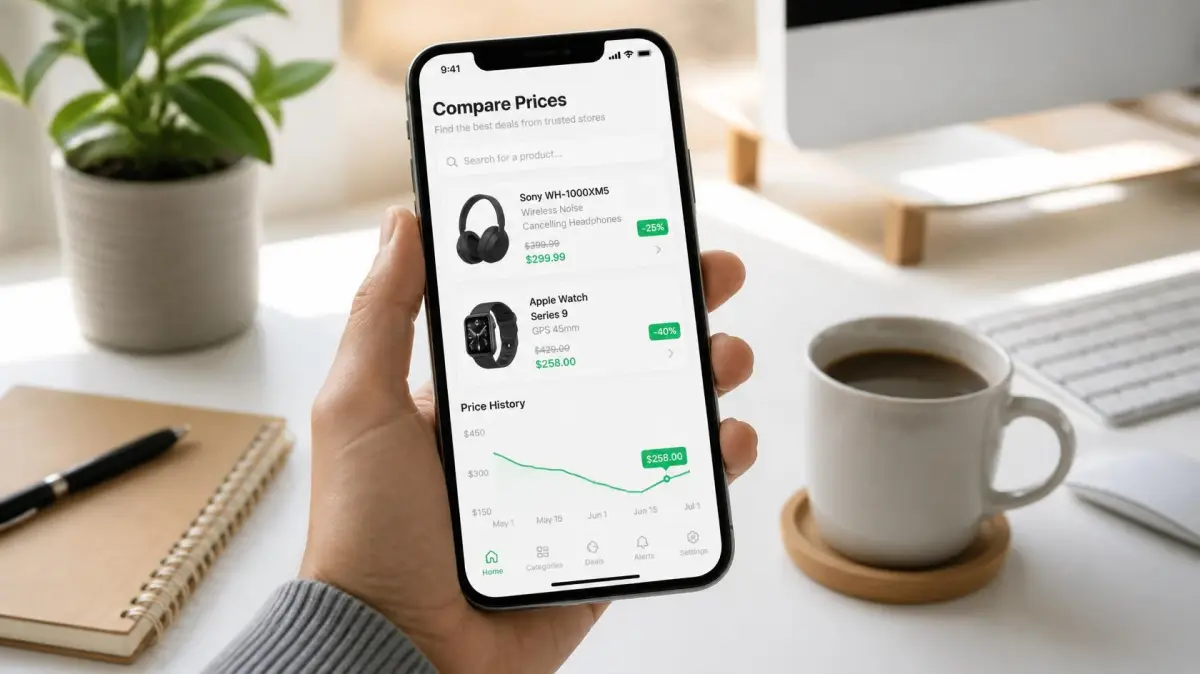
Most lists reviewing the best price comparison tools offer identical, superficial paragraphs about ten different apps in a row. The trouble with that format is that these shopping tools are not actually direct competitors. They serve fundamentally distinct purposes, and picking randomly usually means installing browser extensions that merely repeat details you already know. This guide breaks down the best price comparison apps and tools by the specific job they handle so you can verify deals, track real price trends, and avoid manufactured discounts.
Quick Answer
The best price comparison setup relies on matching the right tool to one of three distinct tasks: instant cross-retailer comparison (Google Shopping or ShopSavvy), historical price tracking (Keepa or CamelCamelCamel for Amazon; dedicated multi-store trackers for other chains), and automated markdown alerts (Slickdeals, BrickSeek, or retailer apps). Using three or four focused tools prevents digital clutter while ensuring you never overpay.
Key Takeaways
- Three distinct jobs: Shopping tools split into instant price comparison, price history tracking, and automated drop alerts.
- Avoid fake discounts: Advertised percentage-off badges are often misleading without checking historical pricing data to see past baseline costs.
- Catalog feeds vs. physical stock: Instant comparison engines search broad online catalog listings rather than guaranteed physical shelf stock.
- Verify in-store locally: Free retailer mobile apps remain the most reliable way to verify local inventory and store-specific shelf pricing.
- Coupon tools aren't trackers: Browser coupon extensions operate as checkout assistants rather than long-term price-tracking solutions.
- Target realistic markdowns: Setting markdown alert thresholds around 15% to 20% captures most authentic retail sales without flooding your inbox.
What Are the Three Distinct Jobs of Price Comparison Tools?
Price comparison tools succeed when matched to the exact question you need answered before making a purchase. Installing multiple browser plugins without understanding their individual strengths creates conflicting notifications and checkout clutter.
Most consumer shopping scenarios require one of three specific tasks:
- Comparison: Answering which retailer currently charges the lowest delivered price for an identical SKU right now.
- History: Answering whether the current price represents a genuine markdown compared to historical trends over the past 90 to 365 days.
- Alerts: Monitoring an item in the background so you are notified automatically when the cost drops to a fair target.
A platform engineered for instant comparison rarely maintains robust 12-month historical pricing charts across dozens of merchant feeds. Similarly, notification tools designed for crowd-sourced discounts rarely check individual warehouse SKU changes on demand. Choosing the right tool requires identifying which of these three jobs matters most for your purchase.
Which Tools Find the Lowest Current Price?
Instant comparison tools specialize in locating every merchant currently listing a specific product model online or in nearby stores. These tools serve as discovery engines rather than price validators.
Google Shopping
Google Shopping remains the fastest search engine for finding which stores carry an exact model number or product name. You enter a search query and receive side-by-side pricing from nationwide retailers, regional chains, and third-party merchant storefronts.
- Primary Strength: Massive catalog breadth, instant browser access, no mandatory user account, and zero setup time.
- Key Limitation: Google Shopping indexes product feeds rather than live stock levels. Out-of-stock items, high seller shipping fees, and stale pricing data occasionally appear. Treat each search listing as an actionable lead and verify the retailer's checkout page before assuming the price is valid.
ShopSavvy and Mobile Barcode Scanners
Barcode scanner applications allow shoppers to scan standard UPC codes on physical store shelves to see current online pricing while standing in the aisle.
- Primary Strength: Fast evaluation for immediate in-store decisions when deciding whether to buy an item off the shelf or order online.
- Key Limitation: UPC matching can become unreliable on multi-packs, retail-exclusive bundles, or slight color and capacity variations. In addition, store-level clearance markdowns are rarely reflected in third-party scanning apps.
Dedicated Retailer Apps
The most accurate price for an item at an individual physical location comes directly from that merchant's native mobile app. Major retailers like Walmart, Target, Home Depot, and Lowe's include in-app barcode scanners tied to their store inventories.
- Primary Strength: Real-time visibility into local shelf pricing, aisle locations, and regional markdowns.
- Key Limitation: Single-store scope. A retailer's proprietary app will never reveal whether a competitor down the street sells the identical item for 20% less.
Which Tools Reveal Real Price History?
A product marked "35% off" is only a genuine bargain if the original price was authentic. Retailers frequently fluctuate list prices to make normal markdowns appear extraordinary. Historical price-tracking tools log price changes over time to separate genuine discounts from everyday retail cycles.
Keepa and CamelCamelCamel
Keepa and CamelCamelCamel are the standard price-history tools for Amazon shoppers. Both platforms track the pricing trajectory of millions of products, showing whether a current price tag is an all-time low or an everyday average.
- Primary Strength: Deep historical charts that track direct Amazon pricing, third-party new sellers, and used options. Keepa also embeds visual charts directly beneath the product description on Amazon desktop pages.
- Key Limitation: Amazon-only coverage. Because these services are designed specifically around Amazon's product catalog, they do not track competing retailers such as Target, Best Buy, or home improvement centers.
Multi-Retailer Price History Trackers
To evaluate whether a sale price at a department store or home improvement center is genuine, shoppers rely on multi-store scrapers and aggregators. These services monitor catalog updates across major non-Amazon merchants to display historical highs, lows, and medians.
- Primary Strength: Visibility into pricing cycles at non-Amazon retailers, helping shoppers avoid fake seasonal sales.
- Key Limitation: Broad catalog trackers often monitor standard listings across a set list of participating stores and may exclude specialized third-party marketplaces.
Which Tools Work Best for Price Drops and Markdown Alerts?
Automated alert platforms eliminate the need to manually refresh product pages day after day. These tools monitor product markdowns and send an alert when an item hits your target budget.
Slickdeals and Community Deal Feeds
Slickdeals combines community voting with automated keyword tracking to highlight widespread markdowns, promotional coupon stacking, and price mistakes.
- Primary Strength: Excellent for generalized category searches, such as receiving an alert when any popular 65-inch OLED television drops below a certain price point.
- Key Limitation: The front page focuses heavily on curated popular items. Niche replacement parts, specific tool model numbers, or quiet clearance markdowns rarely gain enough community votes to trigger front-page visibility.
Flipp
Flipp aggregates weekly grocery and retail circulars, allowing shoppers to search current local advertisements across regional supermarkets, pharmacies, and department stores.
- Primary Strength: Simple digital browsing of advertised weekly grocery specials and circular coupons.
- Key Limitation: Useful only for planned circular advertisements. Unadvertised in-store clearance markdowns are never printed in circulars and will not appear in the app.
BrickSeek
BrickSeek tracks store-level inventory counts and clearance markdowns using retailer SKU numbers, primarily focusing on Walmart and Target locations.
- Primary Strength: Identifies hidden in-store clearance markdowns that do not appear in weekly ads or standard online searches.
- Key Limitation: In-store inventory counts are estimates rather than official store guarantees, meaning a clearance item may occasionally be sold out or misplaced before you arrive.
Where Do Coupon and Cash-Back Tools Fit In?
Popular shopping extensions like Honey, Capital One Shopping, and Rakuten are often labeled as price comparison tools, but they primarily function as checkout optimization layers. Rather than tracking long-term pricing trends, they automate the application of promotional coupon codes and pass along affiliate-funded cash-back rebates.
These extensions generate revenue through merchant affiliate commissions when you complete a transaction. While saving 3% via cash back or shaving $5 off with an automated promo code is helpful, these tools will rarely advise you to hold off on a purchase for two weeks until an item's regular seasonal discount window opens. Use cash-back portals and coupon finders at the final checkout step, but use price history tools to decide whether to purchase in the first place.
Comparing the Best Price Comparison Apps and Tools
| Tool | Primary Job | Retailer Coverage | Best Use Case | Cost |
|---|---|---|---|---|
| Google Shopping | Instant Comparison | Wide variety of online merchants | Quick checks to find who sells a specific model | Free |
| ShopSavvy | In-Aisle Comparison | Major online retailers | Scanning UPC barcodes while shopping in a physical store | Free |
| Retailer Apps | Stock & Price Verification | Single retailer (Target, Walmart, etc.) | Verifying local shelf price and inventory | Free |
| Keepa / CamelCamelCamel | Price History | Amazon only | Verifying whether an Amazon discount is genuine | Free (Keepa offers paid premium features) |
| Multi-Store Trackers | Price History | Selected non-Amazon retailers | Tracking price cycles across big-box chains | Free browsing / tiered plans |
| BrickSeek | Clearance Inventory | Walmart, Target, selected others | Finding unadvertised in-store clearance deals | Free basic tier; paid memberships |
| Slickdeals | Community Deal Discovery | Broad online retailers | Category-wide alerts on popular products | Free |
| Flipp | Circular Aggregation | Regional supermarkets & retail stores | Organizing weekly advertised grocery sales | Free |
| Honey / Capital One Shopping | Checkout Savings | Major e-commerce storefronts | Testing promo codes and earning cash back | Free |
How to Analyze Retail Price Movements Like a Pro
Understanding general retail pricing patterns helps you separate real savings from promotional noise:
- Many price changes are increases: A substantial portion of daily catalog price adjustments are simply items returning to full price after a temporary promotion ends. A sale tag alone doesn't prove it's a historic low.
- Average markdowns are moderate: The typical retail markdown hovers between 15% and 20%. Expecting 50% or 60% discounts on brand-name electronics or appliances usually leads to missed buying windows.
- Extreme discounts require verification: Advertised discounts claiming 80% to 90% off frequently stem from inflated list prices, bundled accessory discrepancies, or discontinued variants. Always confirm the final checkout total and model number before buying.
Frequently Asked Questions
What is the best free price comparison tool for everyday shopping?
Google Shopping is the most accessible free tool for comparing broad online prices across multiple sellers without installing software or creating an account. For Amazon shoppers specifically, CamelCamelCamel and Keepa provide comprehensive free price history charts to confirm whether a deal is real.
Can I track price history at stores other than Amazon?
Yes, multi-store trackers and individual retailer apps allow shoppers to monitor price trends outside Amazon. While Keepa and CamelCamelCamel remain dedicated to Amazon's platform, catalog aggregators and store-specific trackers monitor big-box retailers like Walmart, Target, Home Depot, and Best Buy.
Do coupon finder extensions guarantee the lowest price?
No, browser coupon extensions test known promotional codes at checkout and offer cash-back incentives, but they do not actively track long-term price history. An extension may locate a valid $5 coupon code on an item that was marked up by $20 the previous day.
How many price comparison tools do you actually need?
Most shoppers only need three or four focused tools: a comparison search engine for quick checks (like Google Shopping), the native store app to confirm shelf pricing in person, a reliable price history tracker (such as Keepa for Amazon), and a single cash-back or coupon browser extension for checkout.
What percentage price drop is worth setting for alerts?
For most consumer electronics, home goods, and small appliances, an alert threshold of 15% to 20% captures genuine seasonal sales without triggering excessive notifications. For apparel, seasonal decor, and clearance categories, where retail markdowns run deeper, an alert threshold of 40% to 50% is appropriate.
What Should You Do Next?
- Audit your current browser extensions: Remove redundant price-tracking and coupon extensions that trigger identical pop-ups during online checkout.
- Download native store apps for your primary stores: Install the official apps for the two or three physical retailers you visit most often to scan shelf barcodes directly.
- Bookmark a price-history tool: Add Keepa (for Amazon) or a multi-store tracker to your browser bookmarks so you can inspect the 90-day pricing trajectory before purchasing high-ticket items.
- Calibrate your price alerts: When tracking a specific product, set realistic markdown alerts around 15% to 20% below standard retail rather than waiting for unrealistic 70% drops.
Conclusion
Saving money on everyday goods and major purchases does not require cluttering your devices with dozens of overlapping shopping apps. The most effective approach is running a simple, organized toolkit: an instant search engine to identify who carries the item, a history tracker to ensure the markdown is legitimate, your store's native app to verify local inventory, and a cash-back tool to capture small savings at checkout. By focusing on genuine price history rather than flashy percentage-off badges, you can shop with confidence and secure real value every time.
Shop this product
Frequently Asked Questions
What is the best free price comparison tool for everyday shopping?
Google Shopping is the most accessible free tool for comparing broad online prices across multiple sellers without installing software or creating an account. For Amazon shoppers specifically, CamelCamelCamel and Keepa provide comprehensive free price history charts to confirm whether a deal is real.
Can I track price history at stores other than Amazon?
Yes, multi-store trackers and individual retailer apps allow shoppers to monitor price trends outside Amazon. While Keepa and CamelCamelCamel remain dedicated to Amazon's platform, catalog aggregators and store-specific trackers monitor big-box retailers like Walmart, Target, Home Depot, and Best Buy.
Do coupon finder extensions guarantee the lowest price?
No, browser coupon extensions test known promotional codes at checkout and offer cash-back incentives, but they do not actively track long-term price history. An extension may locate a valid $5 coupon code on an item that was marked up by $20 the previous day.
How many price comparison tools do you actually need?
Most shoppers only need three or four focused tools: a comparison search engine for quick checks (like Google Shopping), the native store app to confirm shelf pricing in person, a reliable price history tracker (such as Keepa for Amazon), and a single cash-back or coupon browser extension for checkout.
What percentage price drop is worth setting for alerts?
For most consumer electronics, home goods, and small appliances, an alert threshold of 15% to 20% captures genuine seasonal sales without triggering excessive notifications. For apparel, seasonal decor, and clearance categories, where retail markdowns run deeper, an alert threshold of 40% to 50% is appropriate.